Monitoring and Statistics
Track performance, client count, bandwidth and anomaly alerts across the entire system.
Overview
Comprehensive monitoring
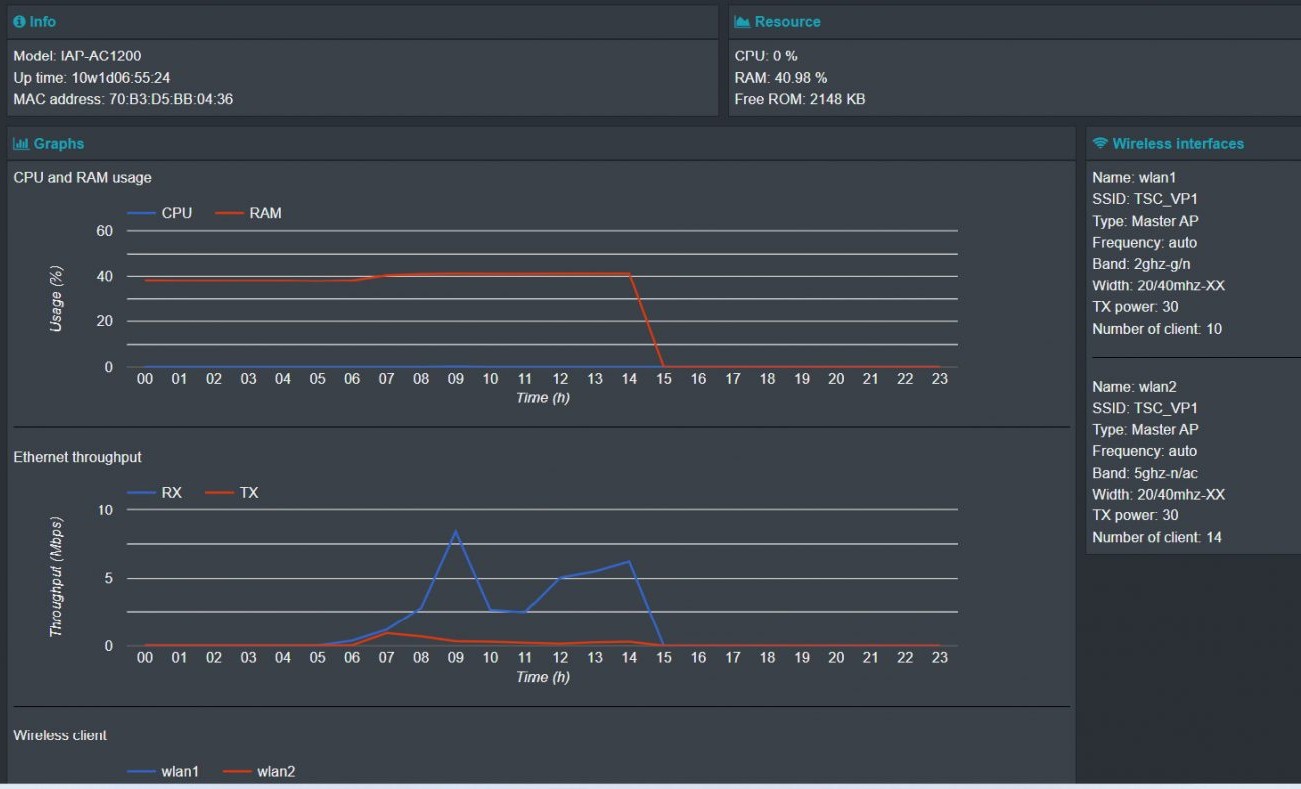
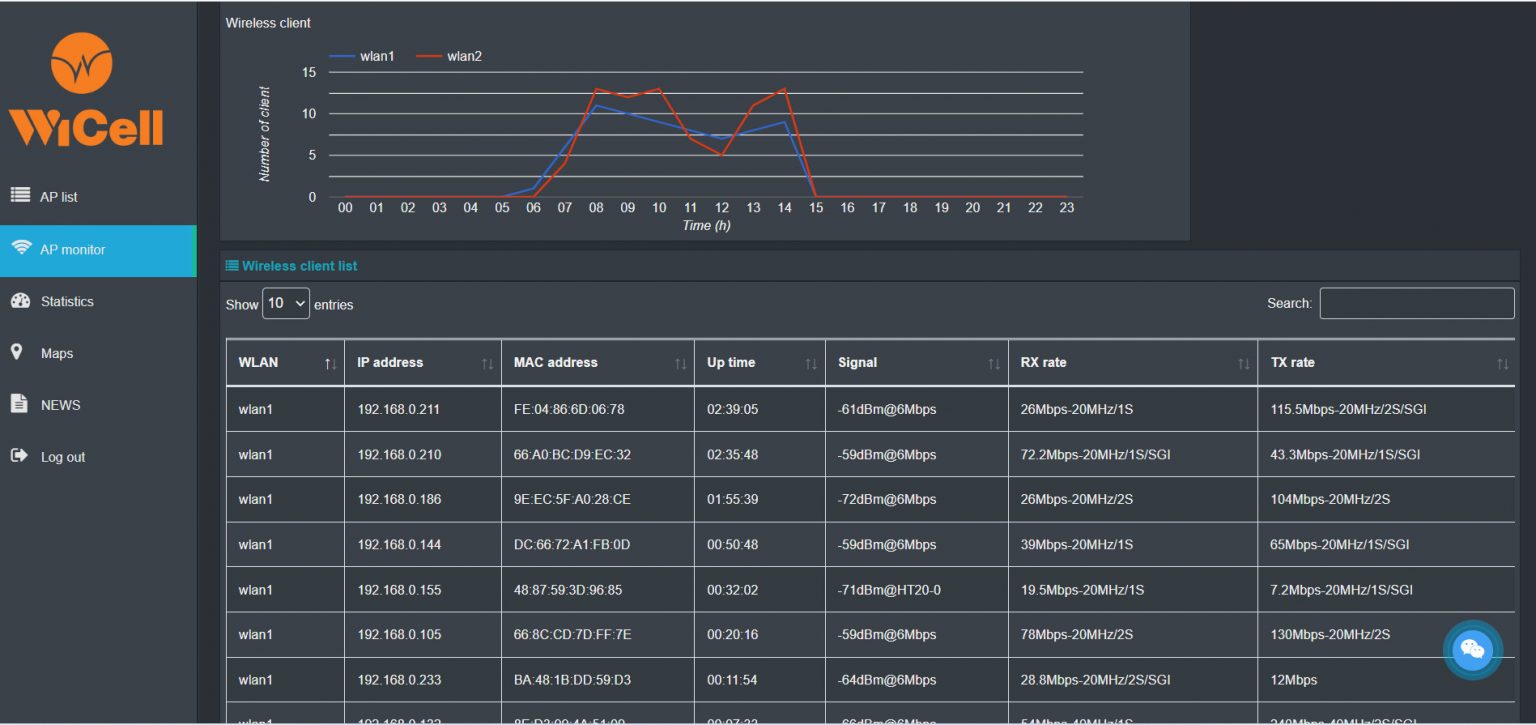
The system displays hardware metrics (Model, Serial, MAC, CPU, RAM…), continuous uptime, whether the AP is active, wireless parameters (SSID, Channel, transmit power…), visitors per SSID and per AP, and total users system-wide.
Client details: connected SSID, IP, MAC, uptime, signal, TX/RX rate. Track 24h download/upload bandwidth, 24h CPU/RAM, 24h visitors per SSID.

Technology solution
Key features
- Select APs to monitor; search quickly in the list
- Statistics: peak / lowest / average visitors by period; Down/Up counts
- Export daily PDF reports for management
- Map marks device locations (supports drawings, photos or satellite)
- Remote Wi-Fi restart, factory reset
Benefits
Visual & detailed
Tools that support effective administration and easy tracking of risk and service quality.
For more than just IT teams
Related staff can easily monitor together.
Anytime, anywhere
With internet only, monitor via laptop/smartphone/tablet.
Related technologies

Basic Functions
With centralised cloud management, you can set Wi-Fi parameters easily from anywhere.
View details ›
AI Cloud-managed Controller
Centrally manage WiCell APs over the internet with cloud computing. With internet access you can monitor and control the system.
View details ›
Intelligent RF Load Distribution
Intelligent RF load balancing — automatically distributes connections across APs to avoid local congestion.
View details ›
SMS and Authenticator
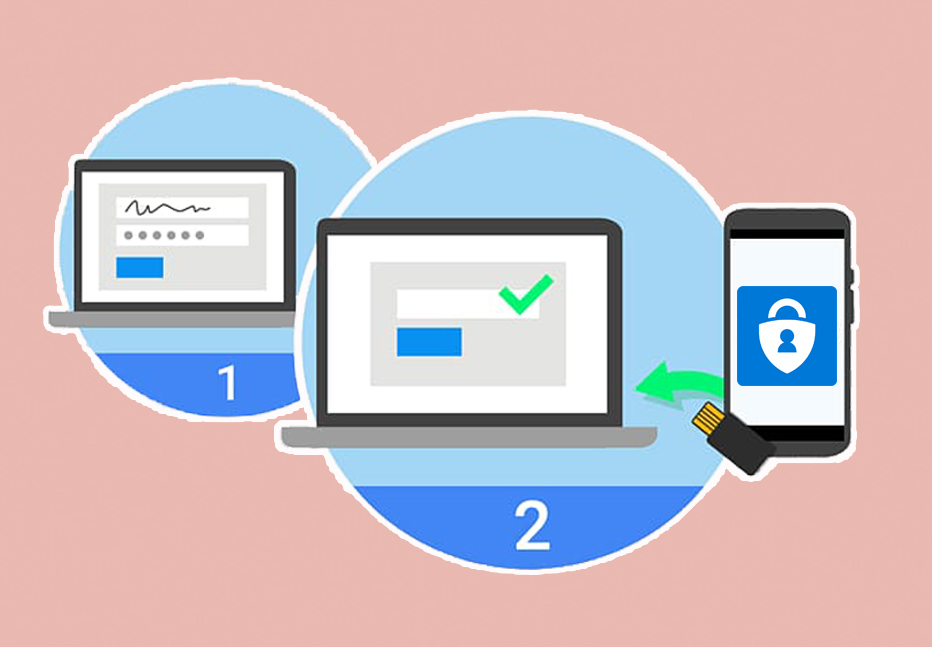
Secures admin accounts with SMS OTP and Authenticator apps.
View details ›